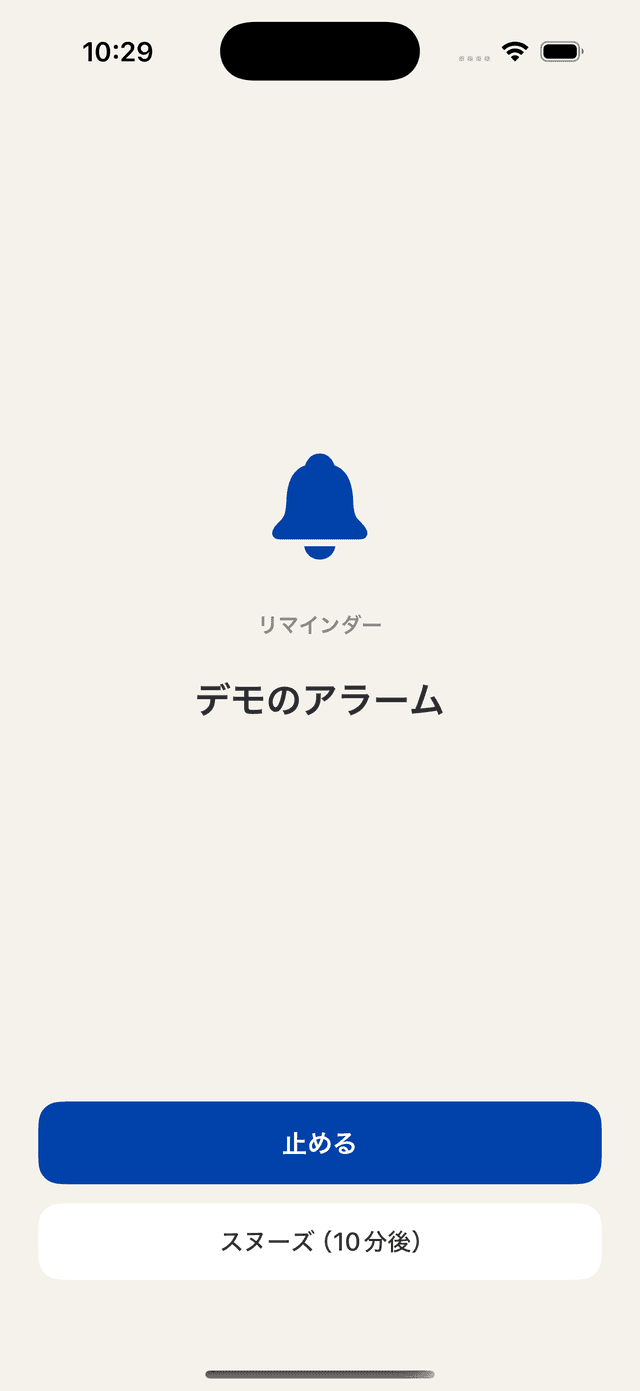
Alarm alerts
Rings until you stop it — through lock, silent mode, and Focus (iOS 26+, next few occurrences if repeating)
Coming soon

Bring order to your days
Events, tasks, and the rhythm of your life — a calendar and task manager for tending to every day with care.
…plan their life from a bird's-eye view of the month, tell shifts and family plans apart by color, and want their calendar in their own colors.
Rings until you stop it — through lock, silent mode, and Focus (iOS 26+, next few occurrences if repeating)
Oriha Calendar · 01 / 06
Month ×2 · Week · Day · List · Year · Tasks · RemindersA month at a glance, a week on a timeline, a single day in flow, a year in view — even row heights respond to a pinch.
Oriha Calendar · 02 / 06
Apple foundation models & voice inputAn assistant that even answers "when am I free next week?" — it runs on Apple's on-device foundation models. The model receives only what you type, the text read from your photos, and minimal context such as the reference date. The titles, locations, and notes of your saved events are never passed to it. Apple's own processing is governed by Apple's policy.
Oriha Calendar · 03 / 06
Vision OCRSchool handouts, shop flyers — dates and places are read on-device and turned into events.
Oriha Calendar · 04 / 06
Full customizationColor roles are tuned separately for light and dark. Font sizes adjust per view mode and per element, and the toolbar holds only the tools you use. Export your settings to a file and load them back any time.
Oriha Calendar · 05 / 06
Two-way sync · OAuthTwo-way sync with your own Google account. No middleman server — your events are never held by us.
Oriha Calendar · 06 / 06
Sticky board · never sent to our serversTap a date to place a colored sticker. Lay down early, late, and day-off shifts, and the whole month reads at a glance. Stickers never become calendar events, and never go to our servers.
This list grows as the app does.
Two-way sync with iOS Reminders — create and complete in-app
Weekly, biweekly, end-of-month — flexible recurrence
Find anything, past or future, with a keyword
Frequent events are one tap away
Japanese holidays and rokuyō built in
App Intents support — control events by voice or automation
A two-pane layout for the wider screen
Adjust text size per role — dates, events, rokuyō
Put your most-used buttons where you want them
Your events stay on time, wherever you travel
Jump from an event straight to the map
Tap colored stickers onto dates — tell shifts and plans apart by color, without creating calendar events.
Microphone, speech, and camera recognition are processed on your device. Oriha sends your events to the calendar accounts you added in iOS (iCloud, Google, and so on) and to Google sync if you enable it — we run no server of our own. If you use iOS backups, your data is included there too. Event titles also appear in notifications and widgets.
Read the privacy policy→Launching soon on the App Store. You'll be able to download it right from this page.
Coming soon — App Store